A solid continuous integration strategy for an enterprise web application is more than just an automated build. You really need a layered approach to maintain a high level of confidence in your code base.
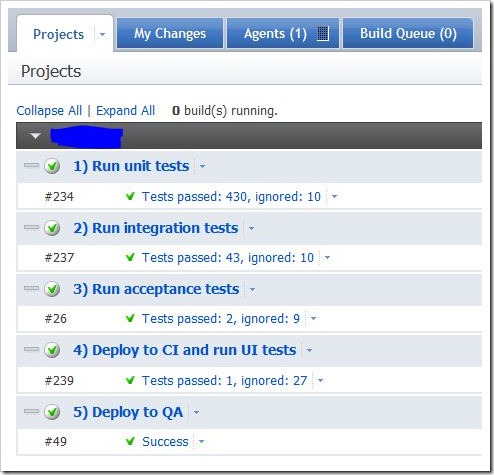
- Run unit tests – these are fast running unit tests with no external dependencies. We use NUnit.
- Run integration tests – these are tests that have a dependency on a database. The primarily purpose is to test NHibernate mappings.
- Run acceptance tests – these tests are written in the Given, When, Then style. We write the tests in BehaveN, but we expect that a stakeholder could read them and verify the business rules are correct.
- Deploy to CI and run UI tests – these are qunit and Selenium tests. They require the code to be deployed to a real web server before the tests run. That’s what this article is about.
- Deploy to QA – once the automated UI tests have passed, we deploy to our QA server for manual testing.
Step 1: Install WebDeploy on the web server you want to deploy to.
Step 2: Configure Web.config transforms. This will enable you to change connection strings and whatnot based on your build configuration.
Currently this is only supported for web applications, but since it’s built on top of MSBuild tasks, you can do the same thing to an App.config with a little extra work. Take a peak at Microsoft.Web.Publishing.targets (C:\Program Files\MSBuild\Microsoft\VisualStudio\v10.0\Web) to see how to use the build tasks.
1 2 | |
Step 3: Figure out the MSBuild command line arguments that work for your application. This took a bit of trial and error before landing on this:
C:\Windows\Microsoft.NET\Framework\v4.0.30319\MSBuild.exe MyProject.sln
  /p:Configuration=QA
  /p:OutputPath=bin
  /p:DeployOnBuild=True
  /p:DeployTarget=MSDeployPublish
  /p:MsDeployServiceUrl=https://myserver:8172/msdeploy.axd
  /p:username=*****
  /p:password=*****
  /p:AllowUntrustedCertificate=True
  /p:DeployIisAppPath=ci
  /p:MSDeployPublishMethod=WMSVC
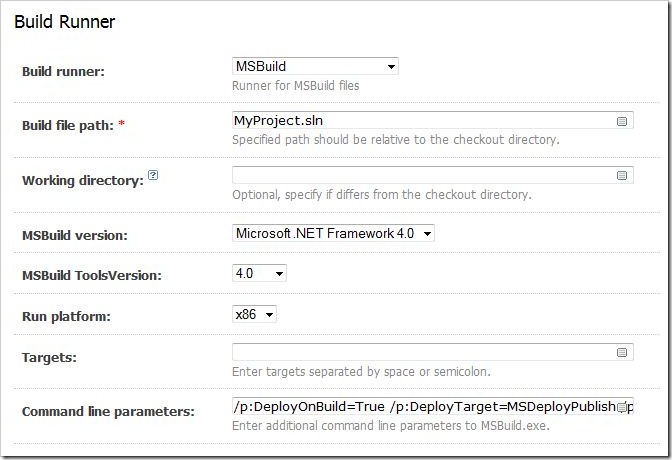
Step 4: Configure the Build Runner in TeamCity
Paste the command line parameters you figured out in Step 3 into the Build Runner configuration in TeamCity:
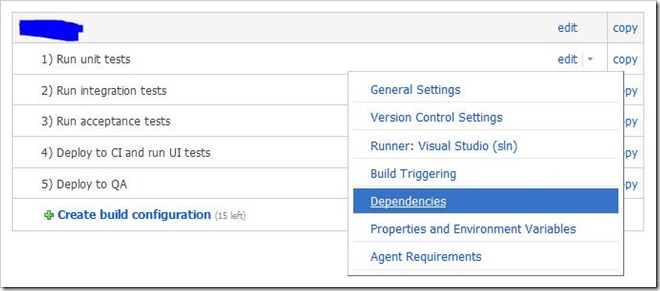
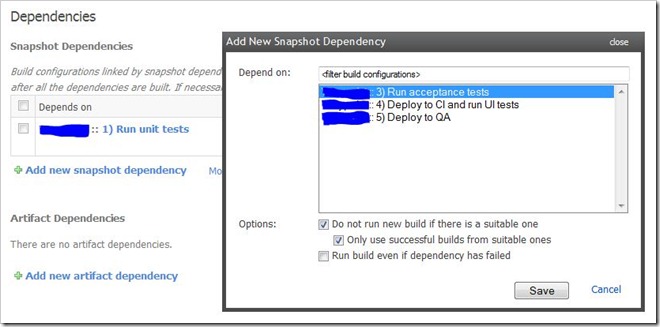
Step 5: Configure build dependencies in TeamCity. This means the integration tests will only run if the unit tests have passed and so on.
Step 6: Write some code.